JumpaYello Flash Menu

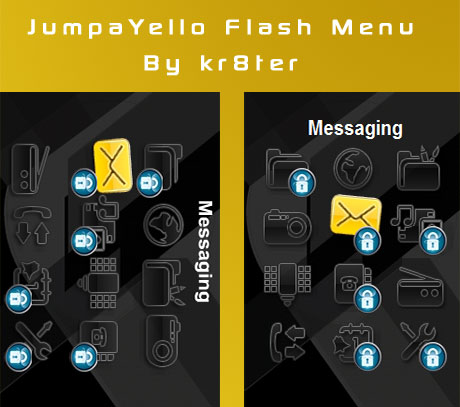
JumpaYello Flash Menu by kr8ter Preview


first of all credit goes to Manny, for providing us with this menu. The menu works on all phones same as the impossible dream menu. It also has password protection and now it rotates, with your phone.

Update (07-26-2009):
JumpaYello Flash Menu by kr8ter Preview

 
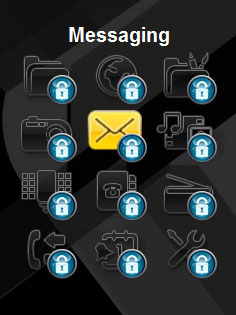
In response to HELCKAT’s request, here is a fully password protected menu, password is inside the file.

Update (09-05-2009):
JumpaYello Flash Menu by kr8ter Preview

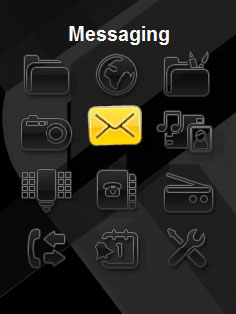
In response to Sam’s request, here is the menu without any password protection.

Update (04-15-2010):

In response to kenshido’s request, here is the source code to the menu

Customised Menus

All comments are appreciated!

Wednesday, July 22nd, 2009 Flash Menus


177 Comments to JumpaYello Flash Menu

  1. Manny- on July 18th, 2009

    Hey kr8ter,

    can you change this menu and add the same passwords **** to each icon (contacts, messaging, organiser etc) exactly like your menu but i still want the icons to jump please i would appreciate it alot if you could, heres a link to the flash menu:

    [link removed]

    thanks in advance =)

    kr8ter Reply:

    @Manny- – removed your password for your security ;) , i have uploaded your menu

  2. razon on July 23rd, 2009

    Great JOB!! haha. i hope i can use it in my G705. T_T i want it badly.. ARGH!

  3. Mister X1000 on July 24th, 2009

    Nice menu you got there, it would be even better if you could make the icons stay still cos’ they get pixeld when they jump around. Then it would be the best menu in the world.

    kr8ter Reply:

    Mister X1000, I’m currently working on a new menu, and the icons in this menu won’t jump around, as they get pixelated.

  4. HELCKAT on July 25th, 2009

    hello, very good flash menu, I wanted to ask if he could set the password to the entire menu from the internet, camera, radio and all access requests the password “*” “*” “*” “*”, thanks

    kr8ter Reply:

    i have uploaded the menu you requested

  5. Andrey on July 28th, 2009

    Sorry, I see the activator’s theme but I don’t see where is the theme.

    kr8ter Reply:

    Andrey, you can use the flash menu with any theme. Goto the tutorials section on the left, and this will guide you on how to use the menu with your own theme.

  6. subin on July 30th, 2009

    first of all,u rock dude!!!

    secondly could you ctreate this menu with the password ****.thanks in advance bro

    kr8ter Reply:

    @subin – removed your password for your security ;) , i have uploaded your menu

  7. ChilliBo on July 31st, 2009

    Hey kr8ter

    can u upload this menu for C902?? and with style and background of this theme here [URL Removed]
    and maybe with password: ****

    would be great !

    nice greetz

    kr8ter Reply:

    @ChilliBo – removed your password for your security ;) , i have uploaded your menu

  8. ChilliBo on July 31st, 2009

    ohh .. not the style only the background ! sorry

  9. ChilliBo on August 1st, 2009

    Uh why u deletet my post? Im new here and dont know how ur system works here… Damn

    kr8ter Reply:

    i did not delete your post, its just that i have to manually approve the comment before it appears on the website.

  10. ChilliBo on August 1st, 2009

    Ah okay sorry ! Wow that menu is amazing! Can u do of a fever and lock all items with pw please? Really big thanks!

    Sorry i mean can u do ME a fever.. fkn T9 :)

    Ah one thing more. The style isnt in the middle of the display. Greetz chillibo

    kr8ter Reply:

    i have re-uploaded the menu

  11. kingnat on August 1st, 2009

    could i get this with the password ***** thank you

    kr8ter Reply:

    @kingnat – removed your password for your security ;) , i have uploaded your menu

  12. Ronin on August 4th, 2009

    dude this is way beyomd awesome…u ve solved a really big problem…………
    can u rewrite the code for the password:****?
    thanx a lot man..u r too good……….a SE god perhaps. :D

    kr8ter Reply:

    @Ronin – removed your password for your security ;) , i have uploaded your menu

  13. Ronin on August 5th, 2009

    thanx a lot man…….u totally rock..

  14. ChilliBo on August 5th, 2009

    Hey kr8ter. thank for ur work but the menu dont work :(

    can u fix that pls?

    greetz ChilliBo

    kr8ter Reply:

    I have fixed the menu now, for some reason flash didn’t save it correctly

  15. ChilliBo on August 6th, 2009

    wow thx! now it works correctly ;)

    greetz ChilliBo

  16. pad on August 6th, 2009

    hey kr8ter… great job!!! =]
    i can’ install your theme on my c702! can you help me please..???

    kr8ter Reply:

    there is a tutorial on how to install it, click here to view it

  17. misterhenry on August 21st, 2009

    Hey kr8ter
    thankyou for all the work you have done. Can u rewrite this with password ****

    kr8ter Reply:

    @misterhenry – removed your password for your security ;) , i have uploaded your menu

  18. razon on August 24th, 2009

    hey kr8ter! im back! still remember me? i have a problem in uploading the swf file to my G705. i have upload a screenshot on megaupload. pls have a look n help me! [Link Removed]

    kr8ter Reply:

    i looked at the screenshot and it appears that your phone is CID53, therefore you should use the new version of A2uploader, as that supports CID53. You can download it by clicking this link.

  19. sk8ter on August 25th, 2009

    Hey dude, nice work there. Can you edit a menu with these features:
    - Only “Messaging” locked
    - Password ****

    kr8ter Reply:

    @sk8ter – removed your password for your security ;) , i have uploaded your menu

  20. Sushi on August 31st, 2009

    Hi, these menus are really nice! I was wondering if these are available to the K850i as well?

    Thanks!

    kr8ter Reply:

    Sushi,

    This menu does work on the k850i

  21. razon on September 2nd, 2009

    OMG! KR8TER! U ROCK!!!
    haha. now i can use it on my g705 n it works perfectly! =]
    but we still can go into the locked place by changing the main menu layout.
    i was wondering.. can u delete the ‘option’ thingy in the menu? haha. u will become a legend if u did that! =DD
    n 1 more thing, where is the .thm file for the jumpayello?

    kr8ter Reply:

    razon, i did not create a .thm file for this menu, however you can use this menu with any .thm file by following this tutorial.

  22. razon on September 2nd, 2009

    i have missed out sumthing in the last post.
    in my g705, when i press the file manager, it goes to playnow. -.- can u solve dat prob?

    thx!

    kr8ter Reply:

    razon, i have checked the code and can see no reason to why it goes to the playnow, as there is no code in the file which links to the playnow. So i’m sorry but i can’t figure out what is causing the problem.

  23. VP on September 2nd, 2009

    Could you make with password **** Thanx.

    kr8ter Reply:

    @VP – removed your password for your security ;) , i have uploaded your menu

  24. Mohsin on September 2nd, 2009

    Ur work is amazing, thanks for all this. Can u pls make this theme suitable for my w910i i set manny’s theme but it does not come clear in my phone, can u make the icons jump for me also and how to set password for specific menu folders? Thanks.

    kr8ter Reply:

    just write the password you want here and i will create the menu for you. Also, you don’t have to use manny’s theme, you can use any other theme with the menu, there is a tutorial in the tutorials section. I think that manny’s theme may not work properly because the theme may have been designed for newer phones.

  25. Sam on September 3rd, 2009

    Hey Kr8ter u rock dude! Can you make me a menu for my walkman phone with vertical resolution 240×320 and horizontal resolution 320×240 and make this menu passwordless. Thanks dude!

    kr8ter Reply:

    @Sam – i have uploaded your menu

  26. razon on September 4th, 2009

    The menu I mean is the impossible dream menu. Not this.

    kr8ter Reply:

    i still don’t see what the problem is as the code is the same as the jumpayello flash menu. Also, i have checked the code against the phone’s (w995) menu.ml file, and they are both the same. So i still can’t figure out what is causing this problem

  27. dejan on September 4th, 2009

    i need for c902 and c905 with this pass ****, thank you man

    Comment #2:
    i forget, put pass just on file menager and messages, sory and thanx 1 more time

    kr8ter Reply:

    @dejan – removed your password for your security ;) , i have uploaded your menu

  28. KingOfKingz on September 6th, 2009

    woow kr8ter thats great….i was wondering,could you make a tutorial how to make those rotating menus??wich strings do u use to make them rotate??big thx

    kr8ter Reply:

    to make the menu rotate, you make one movie clip which has the icons laid out in portrait. Then you make another movie clip which has the icons laid out in landscape. You then play the movie clip depending on how the phone is held, by using the accelerometer data.

  29. ChilliBo on September 7th, 2009

    Hey dude. When u present us some new themes? I w8ing for some new menu’s for my w995 :) greetz chilliBo

    kr8ter Reply:

    i’m currently working on a new rotating flash menu

  30. irving on September 7th, 2009

    hello, do not delete my order because it is not how the system works and that realized I really like the same as sam solucitud that are the icons but with password and ordering helckat password which includes all icons, you I ask you to help me make one but in red or blue something different, is for the W910 model, I thank you and do not delete my order, thank you and hope not to inconvenience my poorly written English

    kr8ter Reply:

    i’m currently working on a new flash menu, it will be up in a few days time, its taking time to make as i have to keep borrowing my friend’s phone to test it, as my phone’s screen does not work.

  31. Abbe on September 8th, 2009

    plz help me how to put it on my phone my mphones model is c902 plz help me:)

    kr8ter Reply:

    Follow this tutorial, and it will show you how to put the menu onto your phone.

  32. lovedimpy on September 10th, 2009

    Will you be kind enough to make this menu fully protected (all lock) with the password- **** (for all)… i have w995 – R1FA035.. and by the way, in the 1st icon, file manager is not working. it redirecting it to the default “play Now”…..

    kr8ter Reply:

    removed your password for your security ;) , i have uploaded your menu. As for the playnow, i have looked at the code and realised that you can’t change the icons on the menu for the newer A2 phones. If someone does come up with a solution i will be intrested in knowing how they did it.

  33. Premke on September 10th, 2009

    Can y make me flash menu for w890 (every menu that works for w910 works for w890 too),and lock all features (is password still 2580).

    I thank you in advance, and also your menus are great, y create them by flash didnt y,i tried once but i didnt sucecs in creating it do y know someone who post a tutorial of creating flash menu (Fl 2.0 and FL 2.1).I never find a people who is interesting in creating such a long tutorial

    (I was boring and tired to read 33 coments on jumpYello and 93 comment on an imposibble dream , i think maybe y already create such a flash menu for someone,have you)

    kr8ter Reply:

    i have already created this menu, its under the heading Update (07-26-2009), at the top of the page.

  34. ChilliBo on September 10th, 2009

    Did u ignore my post? Because u answered other post but not mine.. Greetz ChilliBo

    kr8ter Reply:

    sorry about that, i forgot to approve the comment, but i did answer it.

  35. Premke on September 11th, 2009

    Thx kr8ter , but menu doesnt seem to work

    I forgot to write in first comment that i need
    w-walkman style menu no k-cybershot style menu(if that is possible and also if y have free time to create it):

    Cybershot==>Camera
    Location Devices==>FMRadio
    FMRadio==>Walkman

    If this is from some help to you theme and menu that work on my phone
    (http://www.zedge.net/themes/549161/walkmen-cute-theme/)
    (http://www.ziddu.com/download/5554214/Walkman_Desktop.swf.html)

    kr8ter Reply:

    i have fixed the menu so that it now works with the w890i, if it doesn’t work, let me know and i’ll try and fix it. By the way, i have deleted your double post.

  36. ting wei on September 12th, 2009

    hi kre8tor~ thx alot for ur flash menu~ it was so great~~ by the way can u help me to make a jumpayello flash menu with a password **** for me? thx~~

    kr8ter Reply:

    @ting – removed your password for your security ;) , i have uploaded your menu

  37. Premke on September 12th, 2009

    …::It still doesnt work maybe w890i cant support this kind of menu::…::It freez when i type 2580 and click select::…

    kr8ter Reply:

    your phone can support this type of menu, well it should anyway, i have made some changes to the file. It should now work.

  38. Premke on September 12th, 2009

    F**k , f**k , f**k, f**k….It still doesnt work
    (do y update menu under ,heading Update{07-26-2009},if yes then f**k f**k f**k doesnt work)

    kr8ter Reply:

    sorry about that but i’ve been updating the other menu, i have now updated the menu under the heading Update{07-26-2009}.

  39. Premke on September 13th, 2009

    Again thx kr8ter now it works perfect,i just want to add one more request (again if y are free and i dont annoy y).
    Does rotate menu works for w890i and is it updated,can y create an impossible dream flash for w890i and to rotate
    (if y havent create it already)

    Comment #2:
    Sorry for double post i forgot to write can y lock only FileManager,Messaging,MediaCentar,Phonebook,Organizer and Settings with password ****

    kr8ter Reply:

    i looked on the internet and found out that your phone hasn’t got an accelerometer (motion sensor), so it can’t work with rotate menus, but the menu will still work, but it won’t rotate. I have created you this menu with the 4 digit password, as the menu currently can’t handle 8 digits. I could not create the impossible dream one because the code is outdated and i would need to re-write parts of it, to make it work with your phone. Sorry :(

    The new 3R Flash menu will work with your phone, the menu won’t rotate but it will change colour throughout the day, let me know if you want me to create you that one.

  40. lovedimpy on September 13th, 2009

    you have uploaded a menu for me previously…. But i wanted to lock everything… but i can see there is only 5 things locked (message, media, contacts, organizer & settings..). other things are still open :(

    can you make the menu, with all item locked??? I have w995 – R1FA035…. password should be ****:)

    Comment #2:
    please approve the request :( w995, all menu items should be locked.. password- ****

    kr8ter Reply:

    Sorry about that :( , i have re-uploaded your menu.

  41. EK on September 16th, 2009

    hi,can this works with w995?
    i dw the theme creator for sony ericsson but i not seen w995 in the options,how?can i just dw the jumpa yellow flash menu for w995?or need to create one?i need it badly

    kr8ter Reply:

    The tutorial on the site uses an outdated version of the theme creator, i will be updating the tutorial soon. If you are struggling to make the theme link to the flash menu, just send me a link to where i can download the theme, and i will help link it for you.

  42. EK on September 17th, 2009

    hi,can u make a falsh menu for me?my phone model is w995,the password i want is ****,btw i had dw the theme creator for SE,but i cant choose my phone model because there is not option for w995.is there any solution for these?or can i use others phone model such ac w705,the screen resolution is almost the same?is it works?

    kr8ter Reply:

    @EK – removed your password for your security ;) , i have uploaded your menu

  43. emas on September 24th, 2009

    Hey, can you add a Menu with password **** please?

    Thank you very much!

    kr8ter Reply:

    @emas – removed your password for your security ;) , i have uploaded your menu

  44. Keller on September 27th, 2009

    Hey!
    Do you think you could remove the security and make it rotate with my phone? I don’t like to be stuck there and forget what my security code is :D

    Thanks in advance..

    kr8ter Reply:

    There is an unlocked version of this menu, look under the heading “Update (09-05-2009)”

  45. Keller on September 27th, 2009

    Also can I get it already generated into a thm with the cybershot one?

    kr8ter Reply:

    There is a tutorial on how to use the flash menu with any other theme. Goto the ‘Tutorials’ section listed under ‘Categories’, on the left side of the page

  46. Nima on September 28th, 2009

    hi
    I need a flash menu with this password : 6462
    for w580i(flashlite 1.1 under 2)240*320
    pass for file mgr-setting-msg & contact PLZ
    Help me please
    thanks

    kr8ter Reply:

    currently the menu doesn’t support anything below flash lite 2.0. I generally create menus targeted at 2.0 to 2.1 flash lite version, i havn’t created a flash lite 1.1 menu.

  47. Nima on October 3rd, 2009

    ok,thanks for your reply.
    I think that I can convert it to FlashLite 1.1 if you give me a fla file

    kr8ter Reply:

    I have uploaded the fla file onto the website

  48. hejt on October 14th, 2009

    Hi kr8ter,
    I need that menu with protection for messaging, options, phone book and multimedia.
    Help me please, that menu is great!

    kr8ter Reply:

    what password do you want to use on the flash menu?

  49. luckytim18 on October 15th, 2009

    Is it possible, to change password to ****??
    Can you send me to e-mail pls?
    And it would be great if you can make this with all your swf-themes.
    thx

    kr8ter Reply:

    @luckytim18 – removed your password for your security ;) , i have uploaded your menu

  50. hejt on October 17th, 2009

    Password for my menu: ****

    kr8ter Reply:

    @hejt – removed your password for your security ;) , i have uploaded your menu

  51. ciaann: on October 31st, 2009

    Hi kr8ter
    Great Menu keep up the good work!
    Can You make one with the password ****?
    Thanks in Advance:)

    kr8ter Reply:

    @ciaann – removed your password for your security ;) , i have uploaded your menu

  52. wanhpi on November 10th, 2009

    can you give a thm file…please…

    kr8ter Reply:

    you can use any thm file with this menu, a tutorial is available in the tutorials section

  53. tery on November 11th, 2009

    hi kr8ter,
    well done, here pls make a menu for w995 R1GA026 for Message, organizer, media & entertainment protected…..thank you..

    kr8ter Reply:

    @tery – i have uploaded your menu

  54. james on November 12th, 2009

    Hi
    Can You make one with the password **** for w910i?

    kr8ter Reply:

    @james – removed your password for your security ;) , i have uploaded your menu

  55. james on November 12th, 2009

    thank you ;O)

  56. erickong on November 29th, 2009

    Comment #1:
    Hi kr8ter,
    Can I have it compatible in my G705? only Message protected :)

    Comment #2:
    and i wan my password to be ****:). thx!

    kr8ter Reply:

    @erickong – removed your password for your security ;) , i have uploaded your menu

  57. skorpionrus on December 13th, 2009

    heyy kr8er nice work :]
    can you make a menu for my w910i
    which protects :
    Entertainment
    messaging
    contacts
    file manager
    organizer
    and settings
    with PASSWORT “****”

    thank you

    kr8ter Reply:

    relax, no-one has deleted your entries, each entry has to be approved by me before it comes on the site, so it stops spam from coming on the site. I have created your menu and next time please use a clean tongue, there’s no need to swear

  58. skorpionrus on December 14th, 2009

    oh sorry didnt know that
    hmm it doesnt work
    which ****.THM (which file)i have to use i dont have one which is compatible

    kr8ter Reply:

    you can use the menu with any .thm file, there is a tutorial on how to make it work with any thm file. Click here to view the tutorial

  59. skorpionrus on December 14th, 2009

    hey okai i made it work.but can you change the protections pls? just protection on messaging,file manager and organizer

    kr8ter Reply:

    i have made the changes and re-uploaded your menu

  60. nonamehere on January 5th, 2010

    hi kr8er! very impressive works! :)
    Could you please customize this menu with the password ****? My phone is C905. Is it possible for the shortcuts to be locked as well? For example, in c905, the left soft key opens Media when in standby. Also, what program do you use in editing your flash menu source codes? Thanks in advance! :)
    Oh, and happy 2010!

    kr8ter Reply:

    removed your password for your security ;) , i have uploaded your menu. I use adobe flash to edit the source codes. The shortcut keys can be locked, i think, they might a software which does it, try googling c905 softkeys changer, or something like that. Hope i helped

  61. nonamehere on January 7th, 2010

    thanks a lot! i’m gonna try your advice! :)

  62. Jasonnnn on January 12th, 2010

    Kr8ter can you make my password **** and only have a password protection on my messages? My phone is the c903. Thanks

    kr8ter Reply:

    removed your password for your security , i have uploaded your menu

  63. Jayr on January 16th, 2010

    hey can you change the background of the flash menu?and also i want the lock to only work on my messages i have w902

    kr8ter Reply:

    just upload the picture onto a website such as an image hosting site such as imageshack, or upload it onto megaupload, mediafire, etc and post the link here along with your 4 digit password. Don’t worry no-one will see them, as i have to manually approve the comments before they appear on the site

  64. sagar on January 17th, 2010

    Hello kr8ter! Great job with the menus. Very original.
    Can you make a menu for me with the password ****
    I’d like the following items to be locked: messaging, media,contact, organizer, and settings.
    My phone is c903

    Thanks!

    kr8ter Reply:

    @sagar – removed your password for your security ;) , i have uploaded your menu

  65. Jayr on January 22nd, 2010

    ahm can u just search for it?i want a supra footwear logo or a lebron james pic for the BG?pls…the password for the messages is ****

    kr8ter Reply:

    @Jayr – removed your password for your security ;) , i have uploaded your menu

  66. helmi on February 5th, 2010

    u we’re awesome man!! can u make a menu with password ****** only on messages and file manager. my phone is c510..
    thnx in advance!

    kr8ter Reply:

    the menu takes a 4 digit password, can you reply back with a 4 digit password, thanks

  67. ajhd on February 11th, 2010

    Could i get this with the password **** for my W910i..
    Thanks for amazing menu.. ;-)

    kr8ter Reply:

    @ajhd – removed your password for your security ;) , i have uploaded your menu

  68. pogy on February 20th, 2010

    could you lock just massages and file manager.
    password: ****
    and meybe change background to laser precision or something if you cant than it doesnt matter… thanks

    kr8ter Reply:

    @pogy – removed your password for your security ;) , i have uploaded your menu

  69. Cihat on February 24th, 2010

    Dudu get password for W910i Can you please

    kr8ter Reply:

    can you post the 4 digit password you would like the menu to have, thanks?

  70. Jamie on February 26th, 2010

    Comment #1:
    would you be able to do one for me and put the passcode as ***** and only have messages, contacts and tools locked? Thanks if you can :) x

    Comment #2:
    just realised you can only have 4 digits. Can I have **** pls :) x

    kr8ter Reply:

    @Jamie – removed your password for your security ;) , i have uploaded your menu

  71. Jamie on February 26th, 2010

    Sorry for all the comments lol
    Quick question…
    Am I allowed any theme I want and then have to add the flash menu to that theme using the theme creator?

    kr8ter Reply:

    there is a tutorial showing you how to do this, goto the “Tutorials” section

  72. Cihat on February 27th, 2010

    Thanks

  73. kenshido on April 15th, 2010

    You share file JumpaYello Flash Menu.fla ???????

    kr8ter Reply:

    @kenshido – i have uploaded the source code for the JumpaYello Flash Menu.

  74. kenshido on April 17th, 2010

    @kr8ter thanks you

  75. love on April 18th, 2010

    You Can 1 “Play Now” and change pass **** for “messages, contacts, organiter”
    thanks

    kr8ter Reply:

    @love – i have created the menu and uploaded it for you, and i changed the first icon to PlayNow as requested

  76. witchking on April 18th, 2010

    For C905 with File Manager on menu item 7, and with password **** on Contacts, Messages, File Manager and Media :)
    Thanks :)

    kr8ter Reply:

    @witchking – i have created the menu for you. Regarding the 7 the item, i’m sure fl2.1 menus can’t have custom icons. If you do find a menu that does do this, then please let me know i am interested in knowing this. Thanks

  77. ZANOSHKY on May 26th, 2010

    Hello. Please. I have a little request. If it is possible mister kr8ter i would be very gratefully. How could i make my own password? If it is not possible could you make one for me? and publish that version.
    Standtard flash version with password ****
    i have c905

    kr8ter Reply:

    I have created your flash menu, you can use the “Custom Menu Creator” program, which will let you create your own pass-protected flash menu. The program can be found in the “Tutorials” section

  78. Agnes on June 7th, 2010

    Hi!

    Can you create a menu for me with the password ****?
    I have a C905.
    I want messaging, pictures and videos password-protected =)

    And can I use another theme at the same time I use this?
    (The answer is surely above here, but it´s too many comments to read ;) )

    Many Thanks!

    kr8ter Reply:

    Hi Agnes, i have created the menu and also here is the link to the tutorial where you can use your own theme. Click here to view the tutorial

  79. Agnes on June 10th, 2010

    Thank you so much!

    One more question; My phone is in swedish, does the meny still be in swedish?

    I´m not so good at this =)

    kr8ter Reply:

    Hi Agnes, yeah the menu should be swedish, if your phone is in swedish. If it doesn’t change the language, just let me know and i’ll try and sort it out

  80. Agnes on June 12th, 2010

    Hi again!

    Do I have to connect to internet to use this menu?

    kr8ter Reply:

    Hi Agnes, you don’t need to use the internet to use this menu, just upload the menu onto your phone and you’ll be able to use it

  81. Krebidas on July 4th, 2010

    only message
    password ****

    kr8ter Reply:

    Hi Krebidas, i have removed your password for your security and i have uploaded your menu. :)

  82. Aniruddh on July 10th, 2010

    hey please make different flash menu with password security .

    kr8ter Reply:

    Hi Aniruddh, i’m currently working on a new one

  83. J.D. on July 12th, 2010

    Can you help me do the menu with the password “****”?
    I would like everything to be protected.
    Thanks a million in advance!
    :)

    kr8ter Reply:

    Hi J.D., i have created the flash menu

  84. J.D. on July 16th, 2010

    Thanks alot man! You’re awesome! Keep up the good work!

  85. J.D. on July 16th, 2010

    Erm… I downloaded the flash menu, put it in a theme and uploaded it to my phone with A2 uploader.

    But it isn’t really working. You see, when I type the correct password, the menu just stays as it is and it wont enter.

    (My phone is a W910i, I had no problems using the default 2580 password menu.)

    kr8ter Reply:

    Hi J.D., i tested this menu on my k850i (which is the same as the w910i), and it worked. Are you using the password you gave me, the one 7**9?

  86. J.D. on July 16th, 2010

    Yes i used that password… Besides, i tried 2580, its wrong and I’ll be back at the desktop. So any wrong password would do the same, instead of ‘freezing’.

    (Is there anything wrong with the source code?)

    kr8ter Reply:

    I have re-created it, try downloading it again and let me know if it works. I’ve used the same file for creating the menu for other people, can’t understand why it did work, hmm???

  87. J.D. on July 18th, 2010

    Forget it, I’ll stick to the default pass… I realised i cannot enter the unprotected menus too. Tried changing my menu.ml back to original but still freezes.

    kr8ter Reply:

    Hi J.D., i’m sorry to hear about all the trouble you are having, i’ve created another using the code from the “An Impossible Dream” menu, try it, it might work

  88. yinny on July 18th, 2010

    hey can u please do the menu with the “message”, “contacts”
    and if you can, can you change the “file manager” icon into a “play now” icon (if possible)

    also can u please make the password as ****
    thanks

    kr8ter Reply:

    Hi yinny, i have created the menu for you, if there’s anything else, then just let me know

  89. J.D. on July 20th, 2010

    Hey kr8ter, I re-flashed my phone and the menu worked! But… after awhile it starts freezing. LOL. Idk what to do with it, and yes, I’ll try that “Impossible Dream” menu.

    Thanks for all the trouble you went to did these menus!

  90. sagar krishnan on August 1st, 2010

    Hello kr8ter! Great job with the menus. Very original.
    Can you make a menu for me with the password ****
    I’d like all items to be locked.
    My phone is c903
    ps if possible can u change from media in desktop of mobile to alarm coz media in desktop all can see my photo,video and no privacy dat is y
    if u cant do it den it is no problem

    Thanks!

    kr8ter Reply:

    Hi sagar krishnan, i have created your menu, also phones that are flash lite 2.1 (c903, c905 ,w995 ,etc) cannot have the menu items changed, whereas flash lite 2.0 phones (k850, w910, etc) can have them changed.

  91. c.truong on August 19th, 2010

    Firstly, I would like to thank you for all the services you’ve done, by making these flash menus and even doing more by customizing to everyone’s needs. Keep up the great work. What you do is beyond amazing!

    Can you make this menu for my Sony Ericsson C510a with the password ****? Please and thank-you :)

    Part 2 of my Message:
    I forgot some things, could you also make the menu icons stay still (the pixel problem as mentioned earlier). Also, for the C510, I’ve noticed that the menu icon is PlayNow not File Manager. Is it possible for you to change that as well? In addition, is it possible to change Camera to Cybershot?

    One more thing (I feel bad for asking for so much), could you also put locks on only Messaging, Media, Contacts, Organizer, and Settings?

    kr8ter Reply:

    Hi c.truong, i have created the menu for you with the requested changes. Regarding the pixel problem, i have put the flash quality to high, but it still becomes pixelated, so i can’t really do anything about that

  92. hari on August 27th, 2010

    i need the pass word bro

  93. hari on August 27th, 2010

    bro need ur menu with pass word :) ill be very greatful

    kr8ter Reply:

    Hi hari, the password is inside the text file, which is inside the file you downloaded. The password is 2580

  94. And_camilo91 on September 1st, 2010

    that this friend will be that you could raise the issue without any kind of lock but with the play now in place thank you very much mate

    kr8ter Reply:

    Hi And_camilo91, sorry if i misunderstood but are you saying that you would like this menu without the lock and a the playnow in place? Thanks If english is not your first language, you could always write in your language and i could try and translate it

Leave a comment


Translate

Got any ideas?

Sponsors